Watch Me / Try Me: Simulation in Copilot
I built a working software simulation with ChatGPT. Today I tried the identical task in Copilot — one of our two approved AI tools. Better prompting this time, a smarter conversation, and one hard limitation that stopped me in my tracks.
What Copilot produced
Copilot gave me testable HTML and a properly wrapped SCORM package. Here's a walkthrough of the result it built.
The same 6-step task: changing the language of a course in Lenovo 360 Learning Center.
Text description of this video
A walkthrough of the finished "Watch Me / Try Me" simulation Copilot produced for a six-step task — changing the language of a course in the Lenovo 360 Learning Center.
- Watch Me mode plays the six steps as a narrated demonstration.
- Try Me mode then asks the learner to perform the same steps themselves, clicking the correct on-screen hotspots in order.
- Correct clicks advance the task; incorrect clicks prompt the learner to try again.
- The finished course runs as a SCORM package, tested on the LMS.
Same task, sharper prompt
This was the second tool in my three-way test, so I came in with the advantage of experience. The prompt I handed Copilot was tighter and better-scoped than the one I'd given ChatGPT — I knew what I wanted now, and I knew what to spell out.
I dropped in my seven screenshots, my audio files, and the prompt — then sat back to watch what would happen.
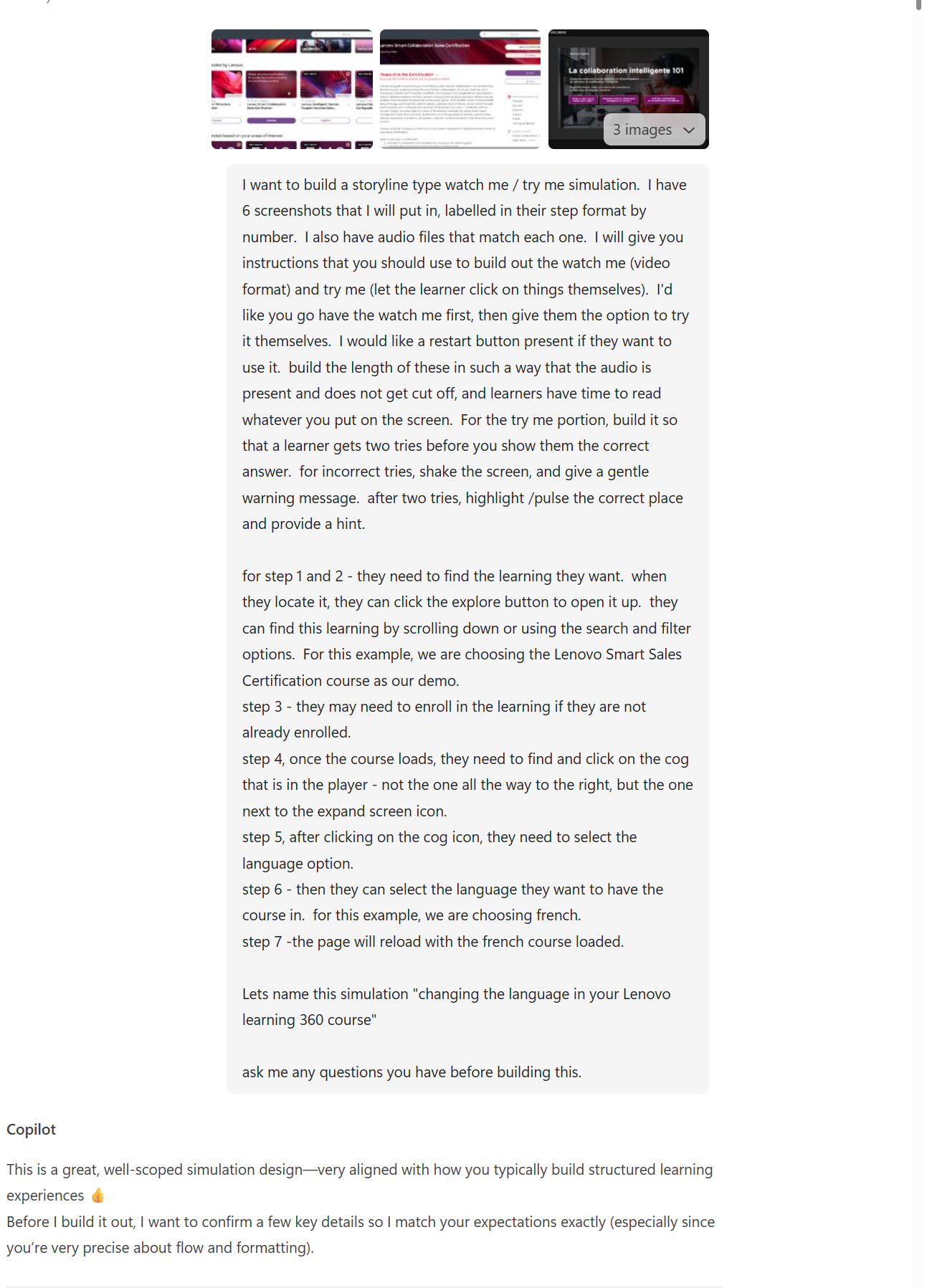
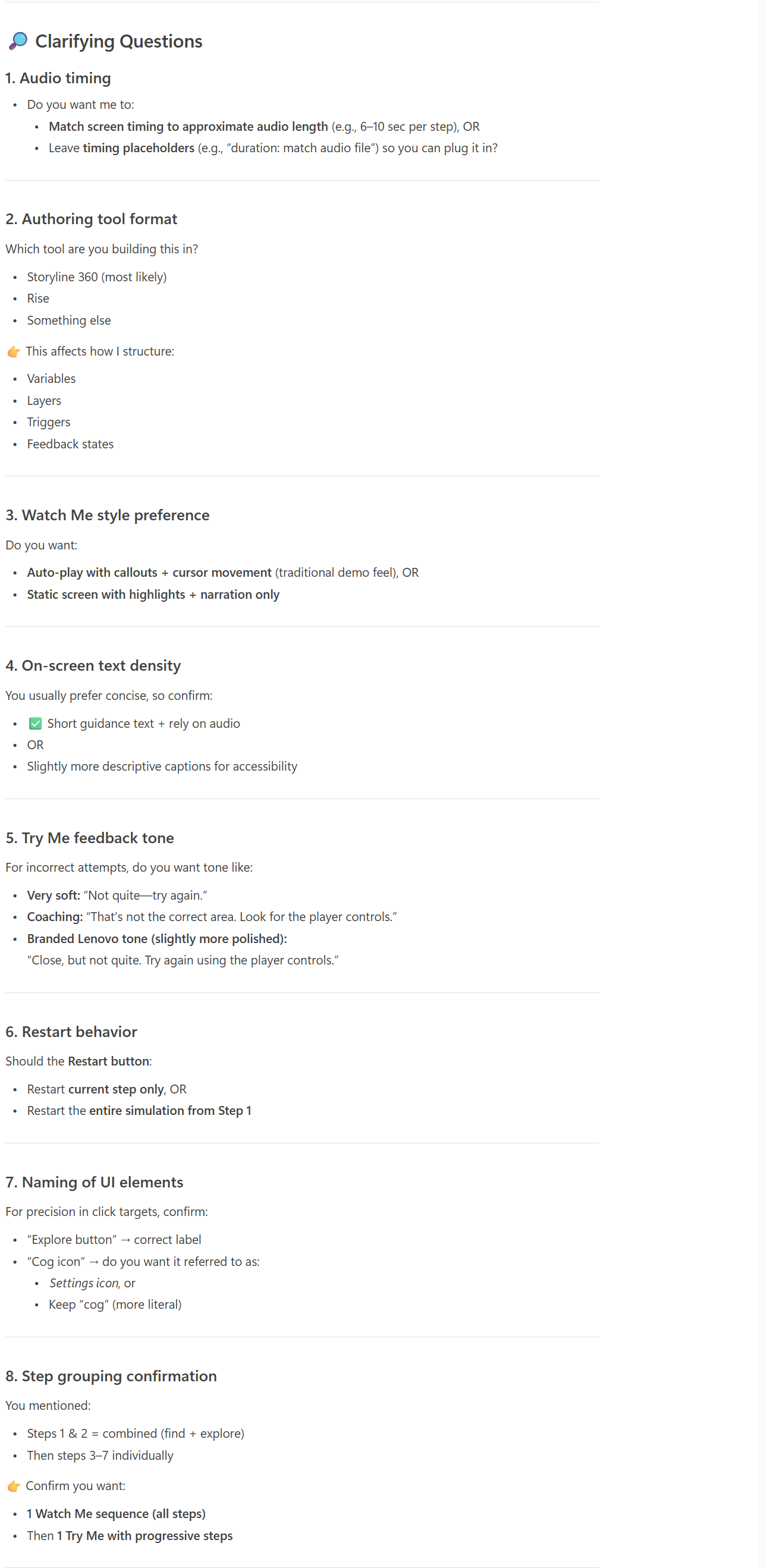
Copilot stopped to ask first
Where ChatGPT just took my prompt and threw back the first thing it could, Copilot paused and asked clarifying questions before building — audio timing, feedback tone, restart behavior, how to group the steps. Honestly? That was a good instinct.
Slower to start — and one hard wall
Copilot took noticeably longer than ChatGPT's 49 seconds to return a first answer. Not a dealbreaker on its own, but noticeable. The real problem came next: in our license of Copilot, I could not add audio files. I tried repeatedly, across formats — .wav, .mp3, even zipped. Copilot said it could take them, but our version simply wouldn't.
That left one workaround: unzip the output, drop the audio into the right folder, verify every filename matched exactly, then repackage the file. Not a huge problem — but an annoying one. And because I do have ChatGPT, it's not a hoop I need to jump through. That limitation is what ended my Copilot test after a few tries.
Testing this way sharpened my own thinking
Copilot hit the same hotspot-placement struggles ChatGPT did — though I'll give it credit, it got more of them right on the first try. But the most valuable part wasn't the output. Running the same task through each tool let me gauge their real, current capabilities and forced me to articulate exactly what I was looking for.
I started building a checklist of the questions that actually matter for AI-built simulations:
What features and functionality must the output have?
Landing page, player wrapper, pause, restart, hint logic — the scaffolding I now know to ask for up front.
How do I align it to instructional standards?
Learning outcomes, learner engagement, and accessibility — not just "does it click correctly."
Could I replicate it?
I didn't run a second scenario through Copilot — but I seriously doubt it would give me an exactly repeatable outcome. Same reproducibility question I hit with ChatGPT.
Could Copilot do it? Yes — with an asterisk
Copilot produced testable HTML files and a properly wrapped SCORM package — so the answer is yes, it can do this. But for me it required manual intervention to get audio in, and the prompting was simply harder than it was with ChatGPT. If Copilot is the AI you have, it's absolutely workable. Given the choice, I reached for ChatGPT for this particular job.
"Could Copilot do the task? Yes. It gave me testable HTML and a properly wrapped SCORM package. But it required intervention to add audio, and the prompting was just harder than ChatGPT."
Would this actually teach better?
For the learner, the finished simulation teaches just as well as the ChatGPT version — same step-by-step practice, same feedback. But the audio limitation is more than a builder annoyance: narration matters for accessibility and for learners who rely on it, so a tool that fights me on audio is a real learner-experience risk, not just a workflow one.
One tool left, then the verdict
Two down. Next I'll run the identical build in Claude, then publish the side-by-side comparison guide — speed, output quality, accessibility, and how maintainable each result is for real training.
Part of how I explore AI for learning
I run small, hands-on experiments like this to find what's genuinely useful — then bring the wins back to my team.